
TechnoKids TechnoCode


Description
Scratch for Kids | Ages 11-15
In TechnoCode, students explore programming using Scratch for kids, fostering creativity and sparking an interest in computer science. In this STEM project, students become coders by designing a fun Activity Studio for kids using Scratch. Through discovery and exploration, they learn how to create a series of hands-on activities that children will enjoy playing. The young programmers apply computational thinking to sequence coding blocks. They learn how to construct scripts to develop animated scenes, mazes, interactive stories, and games. Additional challenges extend coding skills to create artwork, compose music, produce a diorama, and more! After each project, students complete coding journal logs to help them to think like a programmer.
Coding Course for Beginners
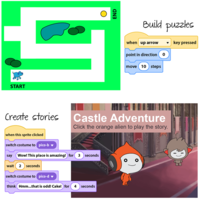
Unleash the coder inside your elementary and middle school students. With guided instructions, students build puzzles, create art, and make music using Scratch. They invent an activity studio that is jam-packed with original creations such as a treasure hunt, maze, silly story, and target game.
Support Stem Education and the Maker Movement
Ignite an interest in computer science. Empower students to think like true programmers. Visual samples, planning sheets, design instructions, and coding journal logs support the learning journey. Using the free online Scratch program, watch your students’ coding knowledge and experience flourish.
Unlock a Wealth of Programming Resources
TechnoCode comes complete with a digital Teacher Guide. Teach coding in Scratch for grades 6-10 with easy, illustrated, step-by-step instructions. Assessment tools include debugging challenges, marking sheets, quizzes, and a skill checklist. Implement the course in a coding unit, computer science course, Hour of Code activity, or coding workshop.
Foster Computational Thinking
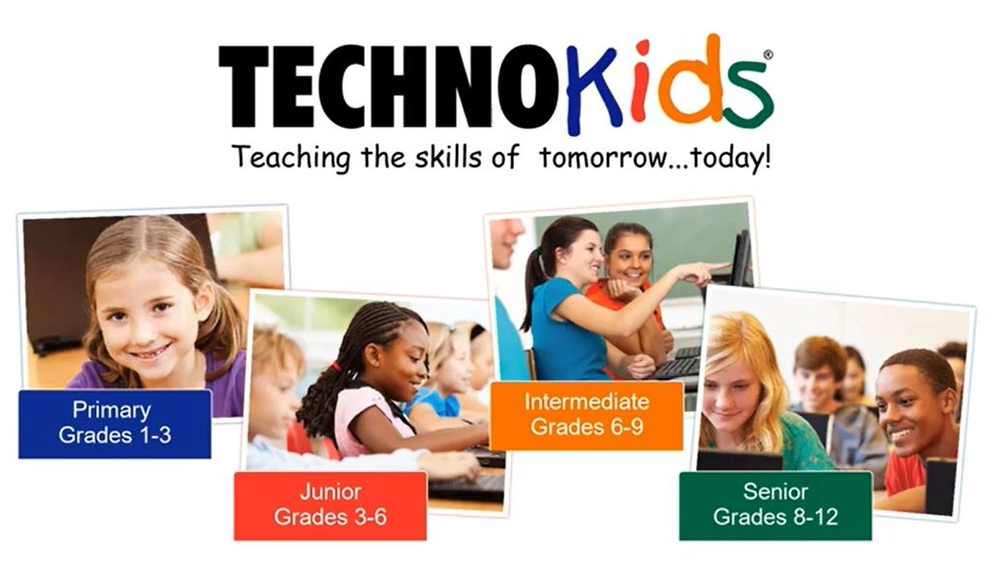
Hands-on activities demystify script construction to sequence events, loops, and conditions. Fun exercises build vital skills in computer programming. Use TechnoKids’ developmental series of coding courses in Scratch to build progressive computer science skills in primary, junior, and middle school grades.
TechnoKids TechnoCode
- Publisher: TechnoKids
- Grade Level: 6-9
- Platform: Win
- Item #: INT-CODE
We will honor all current TechnoKids promotions!
| Starter account. Includes online teacher 12 mths #INT-CODE |
Price: $69.00 | |
| Class account: Teacher plus up 40 students 12mths #INT-CODEC |
Price: $129.00 |
Features and Benefits
The TechnoCode course has 32 assignments divided into six sessions.
Session 1: Become a Programmer
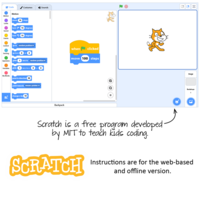
Students are introduced to programming. They design animated scenes using Scratch. To start, they learn about the importance of computer programs and technology in daily life. By answering a series of questions, they begin to think like a programmer. Afterwards, students study the Scratch interface to label the parts. Once familiar with the environment, they discover how to stack blocks of code together to form a script that makes a character talk. Once they have mastered some of the basics, they explore the Scratch libraries to make a scene of two friends having fun.
Session 2: Build an Aquarium
Students create their first project for the Activity Studio. It is an animated aquarium. To start, they explore Scratch Motion blocks to discover how they can be used to make sprites move across the stage. Next, they learn how to use the Paint Editor to design a fish tank that has a custom backdrop. Afterwards, students use forever and if then blocks to control the fish swimming. To practice coding skills, a list of challenges provides a creative spark. Upon completion, the project is prepared for viewers. Students are then given the option to share the file with the Scratch community and classmates.
Session 3: Design a Maze
Students create their second project for the Activity Studio. It is a maze game. This activity provides an opportunity for students to practice coding skills from Session 2 to solidify their learning. To start, they complete a planning sheet to organize their ideas. Next, they use Scratch to create a puzzle that has players help a character find a way to the end of a path using arrow keys. To make the project unique, a list of challenges helps to make a one-of-a-kind maze. Upon completion, the game is prepared for players.
Session 4: Broadcast a Story
Students create their third project for the Activity Studio. It is an animated story about a magical place. To start, they explore the Looks blocks to discover how they can be used to change the appearance of the main character and setting. Next, they enhance storytelling by triggering actions to occur when there is a switch in the backdrop. Afterwards, they direct the timing of events by sending messages to sprites using the Broadcast blocks. To practice coding skills, a list of challenges provides a creative spark. Upon completion the project is shared with viewers. Students are then given the option to ask a peer to review their story using a checklist.
Session 5: Engineer a Game
Students create their final project for the Activity Studio. They apply their coding skills to develop a game. To start, they use a planning sheet to determine the objective, scoring system, timing, and coding structure. Next, they discuss their design with a partner to assess if it is suitable for young children. Afterwards, students follow instructions to build and test the code. Challenges are included to foster originality. Upon completion, the project is prepared for players.
Session 6: Curate an Activity Studio
Students build an Activity Studio for kids. It will have a collection of Scratch projects including an animated scene, maze, story, and game. To gain player feedback a link to the studio will be shared. Based on observation and questioning, students will make recommendations upon how they can improve their Activity Studio.
Optional Coding in Scratch Challenges
- Dance to the Beat: Sequence motion with sound.
- Draw Artwork: Understand coordinates by drawing with the pen.
- Invent an Instrument: Edit sound clips to compose music.
- Build an Interactive Diorama: Share facts about nature or an historical event.
- Develop a Treasure Hunt: Find the hidden items in a scene.
- Chat with a Sprite: Use variables to talk with the computer.
- Remix a Scratch Project: Create something new from an existing project.
Videos
System Requirements
| Ages | 11, 12, 13, 14, 15 |
|---|---|
| Grades | grade 6, grade 7, grade 8, grade 9, grade 10 |
| Program | Scratch |
| Tech Integration | computer science, language arts, math, media arts |
| Tech Skill | animation, coding, game development |
| License | Homeschooling, Starter, Class, Classrooms, School |
| Starter License Includes | online teacher guide, online student workbook, get started, course slides, printable assessment tools, sample files, extension activities, certificates, parent letters |
| Class License Includes | online teacher guide, getting started tips, course calendar, online student workbook, online assignments, printable assessment tools, online quizzes, student reporting, sample files, extension activities, certificates, parent letters |
| Classroom License Includes | online teacher guide, getting started tips, course calendar, class management tools, online student workbook, online assignments, printable assessment tools, online quizzes, student reporting, sample files, extension activities, certificates, parent letters |
| Product Type | Course |
| Homeschool License Includes | Certificates, Extension activities, Online assignments, Online quizzes, Online teacher guide, Parent letters, Remove printable assessment tools, Sample files, Student reporting, Templates |